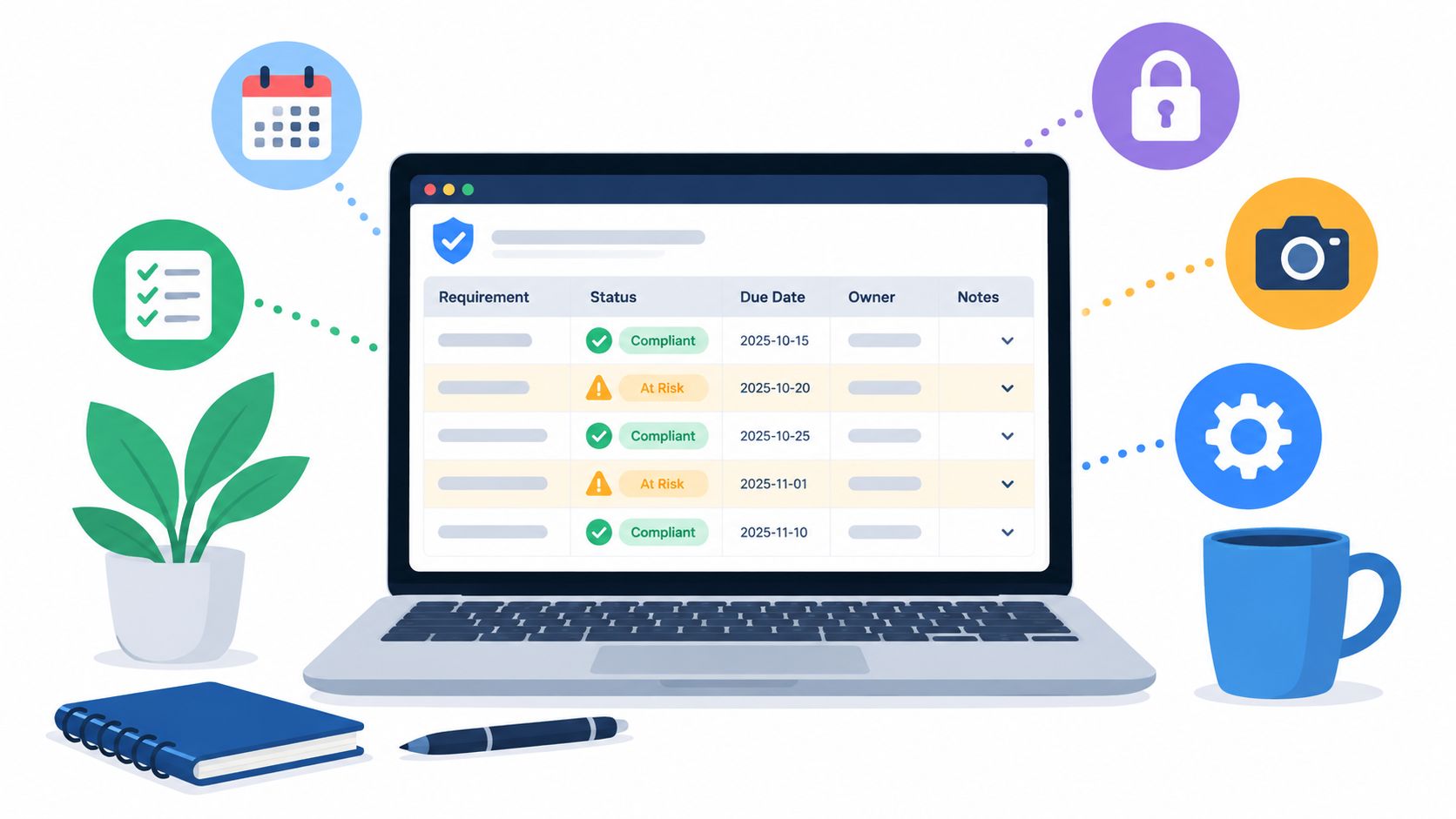
A manager opens the sanitation workbook after a busy shift. The rows are colored green, the completion column looks reassuring, and the team remembers that most areas were cleaned. Then an auditor asks three simple questions: Who cleaned the surface, when was it cleaned, and which product was used? The answers are scattered across a shared spreadsheet, a paper sign-off sheet, a photo folder, and someone's memory.
That situation is common in airports, gyms, dealerships, offices, and public venues. Cleaning protects the condition of a facility, while properly used disinfectant wipes give staff a practical way to address frequently handled surfaces during the day. A reliable compliance tracking spreadsheet connects those activities to evidence that a supervisor, customer, or auditor can understand.
Why Most Sanitation Spreadsheets Fail an Audit
An auditor doesn't need to inspect every row to expose a weak sanitation record. They may select one missed cleaning, trace it to a zone, and ask for the original requirement, the person responsible, the completion time, the product used, and proof that any deficiency was corrected.
A color-coded cell can't answer those questions. “Done” doesn't identify the worker. “Restroom” may refer to several locations. A green status can conceal an entry added after the shift, a copied timestamp, or a failed inspection that was closed without verification.
I've seen this happen in facilities where the cleaning work itself was reasonable. The problem was the record. Staff typed zone names differently, supervisors edited formulas to make a dashboard balance, and evidence lived in email attachments that nobody connected to the original row. During an audit, the manager had to reconstruct the chain manually.
Practical rule: If a record can't connect a requirement to an inspection, finding, corrective action, verification, and closure, it's a checklist, not defensible evidence.
The familiar spreadsheet traps
The technology isn't the original problem. Electronic spreadsheets made manual recordkeeping repeatable through rows, columns, calculations, sorting, filtering, charts, and automation. VisiCalc launched in 1979, Lotus 1-2-3 followed in January 1983, and Microsoft Excel launched in 1985, initially for Macintosh computers. That history helps explain why spreadsheets remain accessible to operational teams, but it also shows that a familiar tool isn't automatically a validated compliance system. Spreadsheet history and its business impact provides useful context.
The recurring failures are structural:
- Free-text fields: “Main gym,” “Gym floor,” and “Weight room” may describe the same area but produce separate reporting categories.
- Missing timestamps: A date without a completion time can't establish whether a high-touch round happened during the required operating window.
- Scattered evidence: Photos, signatures, work orders, and inspection notes sit in different places.
- Overwritten records: A corrected cell replaces the original entry, leaving no explanation of who changed it or why.
- Orphaned actions: A failed cleaning appears in one sheet, while its corrective action sits in an email or maintenance system.
- Unclear ownership: Nobody is responsible for reviewing edits, exceptions, or the master version.
The practical fix isn't adding hundreds of rows. It's creating fewer, disciplined fields with controlled values, clear ownership, protected formulas, and a linked audit log. Guidance on building an audit-ready compliance checklist can complement the register, but the spreadsheet itself must preserve the evidence chain.
Building the Foundation of a Compliance Tracking Spreadsheet
Start with one event per row. An event might be the cleaning of a treadmill handle, the inspection of a family restroom, the turnover of a rental property, or the reset of a vehicle cabin. Don't combine several tasks in one row because a single completion mark then hides which controls were performed.
The row structure that survives scrutiny
Use these columns in the main register:
- Event ID: Assign a unique identifier that never changes, even if the row is corrected.
- Facility ID and zone ID: Select both from controlled lists. A zone should identify a specific room, asset group, gate, vehicle, or service area.
- Requirement ID: Link the event to the applicable sanitation, inspection, contractual, or internal requirement.
- Task type: Use a dropdown such as clean, disinfect, inspect, replenish, or corrective action verification.
- Scheduled frequency: Pull this from the frequency matrix rather than allowing each worker to type a preference.
- Scheduled date and time: Use real date and time fields with a consistent format.
- Completion timestamp: Capture the actual time of the activity, not only the day.
- Performer identity: Select the worker from a controlled staff list.
- Procedure and version: Record which approved method or training version applied.
- Product or chemical: Select the product from the approved product table.
- Concentration or contact time: Capture this where the procedure requires it.
- Observed result: Use controlled outcomes such as pass, fail, partial, or not applicable.
- Exception code: Select the reason for failure, delay, access issue, supply shortage, or contamination.
- Corrective-action ID: Link a failed event to its action record.
- Reviewer and review timestamp: Identify the supervisor who checked the record.
- Evidence location: Store a photo link, file ID, work-order reference, or signature record.
- Status: Calculate this where possible rather than relying on manual color selection.
A free-text “Cleaner Name” field creates avoidable ambiguity. A typed name can contain a spelling variation, an abbreviation, or an entry from someone who wasn't authorized to perform the task. Controlled fields make reports consistent and allow managers to filter by accountable worker without cleaning the data first.
The evidence field matters just as much. An EPA label instructs users to apply enough wipes to keep a surface wet for the specified contact time, clean heavily soiled surfaces before disinfecting, and allow the labeled dwell time to elapse. One EPA wipe label specifies a one-minute wet-contact period. The EPA product label should govern the product-specific instructions recorded in your procedure and training fields.
Supporting sheets protect the register
Keep reference data away from the daily input area:
- Zone list: Facility, zone ID, zone name, surface category, risk classification, and active status.
- Worker list: Employee ID, name, role, training status, and authorization status.
- Product table: Product name, approved use, label reference, contact time, dilution information where relevant, and expiry control.
- Frequency matrix: Zone, task, operating condition, required frequency, responsible role, and escalation rule.
- Requirement library: Requirement ID, source, effective date, superseded date, and applicable facility types.
A project or operations platform can help teams coordinate these reference lists and approvals. For Australian teams comparing collaborative options, a work OS for Australian teams offers useful ideas for organizing ownership, workflows, and supporting documentation, even when the compliance register remains spreadsheet-based.
The design principle is simple: the main sheet records events, while supporting sheets control the vocabulary and rules. Once those relationships are stable, formulas can calculate coverage, continuity, and closure without guessing what a typed value means.
Formulas, Conditional Formatting, and Validation That Keep Data Honest
A register becomes operational when it distinguishes scheduled work from completed work. A completed row alone doesn't prove coverage because the denominator may include tasks that were never entered. Build the schedule tab first, then compare scheduled events against verified records.
Coverage and continuity logic
Assume an Excel table named Events with columns for ZoneID, ScheduledDate, Status, CompletionTimestamp, and EventID. A simple daily coverage calculation can count verified completions against scheduled events:
=COUNTIFS(Events[ZoneID],A2,Events[ScheduledDate],B2,Events[Status],"Complete")/COUNTIFS(Schedule[ZoneID],A2,Schedule[ScheduledDate],B2)
Wrap the formula with an error handler so a zone with no scheduled events doesn't display a misleading result:
=IFERROR(COUNTIFS(Events[ZoneID],A2,Events[ScheduledDate],B2,Events[Status],"Complete")/COUNTIFS(Schedule[ZoneID],A2,Schedule[ScheduledDate],B2),0)
For a high-touch asset that must not go more than 24 hours without a recorded cleaning, sort completed timestamps by asset and use a gap flag such as:
=IF((CurrentTimestamp-PreviousTimestamp)>1,"Gap","OK")
The formula should operate on a consistent date-time field. If staff enter dates in different regional formats, the continuity result can be wrong while still looking plausible.
Closure should require evidence from both the performer and the verifier. If WorkerSignature, VerifierSignature, and ObservedResult are columns in the event table, use:
=IF(AND([@ObservedResult]="Pass",[@WorkerSignature]<>"",[@VerifierSignature]<>""),"Complete","Open")
A failed result should never become complete merely because someone typed a note. It needs a corrective-action ID, an owner, a target date, and a verification entry.

Make exceptions visible
Use conditional formatting to make the status view readable at a glance:
- Red: Scheduled time has passed and the event is not complete.
- Amber: The event is approaching its due time or has an unresolved exception.
- Green: The event has a passing result, required signatures, and linked evidence.
- Purple or blue: The row is under review and must not be counted as closed.
Data validation should draw from named ranges linked to the zone, worker, product, exception, and status sheets. Don't let users type new values into those fields during a shift. If a new zone or product is needed, an authorized owner should add it to the reference sheet, record the change, and then make it available to the team.
Convert the main register and schedule into structured Excel tables. Use named ranges for controlled lists and references rather than fixed ranges that stop at a particular row. This prevents formulas from breaking when a supervisor inserts a new event, which is one of the most common ways a live tracker fails shortly after deployment.
Error Controls and Audit Log Practices That Defend the Record
Spreadsheet controls should be designed with the assumption that ordinary work will create errors. Staff will copy rows, paste values, use different date formats, and correct mistakes under pressure. The question isn't whether those actions occur. It's whether the register detects and explains them.
A systematic review presented to the UK Parliament found errors in 24% of 15,770 spreadsheets recovered from the Enron email archive. The review reported 755 files, or 5%, with more than 100 errors, and the most error-ridden file contained 83,273 errors. It also found that 59% of erroneous formulas had dependent cells, with each erroneous cell having an average of 9.6 dependent formulas. The spreadsheet error review shows why a compliance workbook needs controls instead of informal trust.
Separate operational spreadsheet research audited 270,722 formulas and reported an average cell error rate of 1.79%, with reported rates ranging from 0.9% to 1.8% under different definitions. Another review found errors in 94% of 88 spreadsheets. These findings don't mean every sanitation entry is wrong. They mean that an unreviewed calculation or overwritten formula can distort an important compliance result.
Build barriers against predictable mistakes
Use a single rule per calculation cell. Avoid merged headers in audit-facing tabs, because they interfere with filtering, sorting, and automated checks. Lock header rows, formula columns, and reference sheets, while leaving only approved input fields editable.
Protect the following controls:
- Input masks: Require consistent date and time formats.
- Unique IDs: Flag duplicate event IDs and duplicate asset records.
- Named ranges: Keep validation lists stable when rows change.
- Formula protection: Prevent staff from typing over calculation cells.
- Change history: Record editor, timestamp, field changed, old value, new value, and reason.
- Exception linkage: Require every failed event to connect to a corrective-action record.
- Evidence rules: Require a file ID, photo reference, or approved signature where the procedure calls for it.
A secure electronic signature workflow can help when a shared workbook can't establish who approved a record or whether a signature was applied after the fact. PDFWix's secure electronic signature workflow guidance offers a practical reference for designing that handoff.
Run a weekly integrity check
A supervisor can catch most workbook drift with a short, repeatable review:
- Compare scheduled events with populated completion records and investigate unexplained gaps.
- Review outlier timestamps, including future dates, repeated times, and entries made outside the operating window.
- Search for duplicate zone IDs, asset IDs, and event IDs.
- Filter unresolved exception flags and confirm that each action has an owner, target date, and verification status.
An audit-facing register should preserve original entries rather than overwriting them. For a broader treatment of compliance documentation controls, the same principle applies: the record should show what happened, who handled it, and how the organization confirmed closure.

Facility-Specific Examples for Airports, Gyms, Rentals, Venues, and Dealerships
A useful register reflects the physical operation. The same row structure can support five different facilities, but the zones, owners, and schedule rules must change.
CDC guidance identifies pens, counters, shopping carts, door handles, stair rails, elevator buttons, touchpads, restroom fixtures, and desks as examples of high-touch surfaces. It advises regular cleaning and increased frequency in high-traffic spaces. CDC facility cleaning guidance supports a risk-based approach rather than treating every surface as equally urgent.
For gyms, that means prioritizing machine handles, adjustment pins, dumbbell racks, mats, touchscreens, locker handles, and shared benches. Staff can use wipes for gym equipment, gym equipment cleaning wipes, or another approved product that matches the surface and label instructions. The register should capture the asset group, peak-period round, performer, product, and verification status.
Airports need location precision. Track gate seating clusters, jetbridge touchpoints, tray tables where applicable, elevator controls, high-use counters, and family restrooms. Assign cleaners by zone or shift, and include a handover signature when responsibility changes. The specified family-restroom cadence can be set at 30-minute intervals where the operating risk and facility standard require it.
Vacation rentals and vacation homes should key the register to turnover rather than an arbitrary clock. The row needs property ID, room or zone, departing guest date, incoming check-in date, assigned cleaner, inspection result, and photo evidence. A failed linen, bathroom, kitchen, or high-touch inspection should create a corrective-action record before the turnover is released.
Stadiums and event venues require event-state controls. Create rows for pre-event, intermission, and post-event sweeps, then tie them to entrances, concourses, seating blocks, restrooms, concession counters, rails, and touchpoints. Capacity thresholds can trigger additional rounds, but the threshold belongs in the schedule or event configuration sheet, not in a cleaner's free-text note.
Auto dealerships and rental car agencies should track showroom demo units, test-drive vehicles, customer vehicle intake areas, steering wheels, door pulls, touchscreens, desks, and restroom fixtures. The owner may be a lot attendant, sales support worker, service advisor, or cleaning contractor. A cabin reset should include a completion timestamp and vehicle ID, while a customer intake clean should also capture the responsible department.
| Facility | Key Zones Tracked | Assigned Owner Role | Inspection Cadence |
|---|---|---|---|
| Airport | Gate seating, jetbridge touchpoints, family restrooms, elevators | Airport cleaner and shift supervisor | Scheduled rounds, including 30-minute family-restroom checks where required |
| Gym | Machine handles, benches, mats, locker areas, showers | Fitness attendant and floor manager | Member-peak rotations, opening, mid-shift, and closing |
| Vacation rental | Kitchen, bathrooms, bedrooms, entry points, high-touch fixtures | Turnover cleaner and property manager | Each guest turnover, with release inspection |
| Event venue | Entrances, concourses, seating, restrooms, concession areas | Venue operations crew and event supervisor | Pre-event, intermission, and post-event |
| Dealership | Demo vehicles, test-drive cabins, showroom controls, intake desks | Lot attendant, sales support, and service advisor | Before use, after customer contact, and scheduled showroom rounds |
Operating the Spreadsheet, From Daily Rounds to Monthly Reconciliation
A compliance tracking spreadsheet needs an operating rhythm. Without one, even a well-built register becomes a passive archive that managers inspect only before an audit.
The daily review should happen during the operations huddle. Filter for open exceptions, overdue tasks, missing evidence, and areas where the assigned worker hasn't acknowledged the round. The manager should resolve access problems, supply shortages, staffing gaps, and failed inspections while the information is still fresh.
The weekly roll-up should show coverage by zone, owner, shift, and task type. Use pivot tables for the manager dashboard, but keep the exception register separate. A clean percentage can hide repeat failures, so the dashboard should distinguish work completed, work verified, and unresolved risk.
Manager's test: Don't ask only, “What percentage is complete?” Ask, “Which zones are repeatedly late, which exceptions remain open, and which records lack evidence?”
Reconcile the record every month
At least monthly, compare the spreadsheet with paper sign-off sheets, mobile logs, work orders, and physical spot checks. Reconcile scheduled events against completed records, confirm that corrective actions closed by their deadlines, inspect change history, and sample evidence back to the original zone or asset.
A controlled register should calculate:
- Coverage: Completed required events divided by scheduled events.
- Continuity: Operating periods without unexplained gaps.
- Closure rate: Corrective actions closed by deadline divided by actions due.
These definitions must remain stable. If one manager uses scheduled tasks as the denominator and another uses verified tasks, their dashboards aren't comparable.
Version the master file, archive superseded copies, and record structural edits in a change-log sheet. Include the reason for the change, approver, effective date, and affected procedure or requirement. A facility can retain rescinded procedures without presenting them as current instructions, provided the status and effective dates are controlled.

Know when to retire the workbook
Move to a controlled system when multiple facilities need concurrent updates, workbook performance becomes unreliable, or chain-of-custody requirements demand signed entries the shared file can't enforce. A growing number of linked sheets, duplicated versions, and manual reconciliations are warning signs, not badges of operational maturity.
Don't switch behind the scenes. Freeze the final spreadsheet version, map its fields to the replacement system, preserve the historical evidence, train users on the new workflow, and run both processes long enough to confirm that no control disappears during the handoff.
Turning Clean Records Into Cleaner Businesses
Cleanliness is visible to customers before they read a policy. A fresh restroom, clean equipment handle, orderly showroom, or well-maintained gate area tells visitors that the business manages details consistently. A controlled record gives managers the evidence to maintain that standard across shifts and locations.
The spreadsheet also becomes a business tool. It can reveal where staffing needs to change, which zones require more supplies, where repeat failures create re-clean labor, and which procedures need better training. The same register that supports an audit can inform purchasing, operations planning, customer communication, and brand standards.
Disinfectant wipes work best as part of that operating system, not as a box left beside the reception desk. Train staff to pre-clean visible soil, use enough product to keep surfaces wet for the label's contact time, and focus on high-touch areas such as handles, controls, grips, counters, and payment interfaces. For gyms and fitness facilities, wipes.com is a relevant place to evaluate wipe formats, dispensers, and supply options for daily rounds.
Review the register weekly, verify exceptions, and make the evidence easy to retrieve. Prioritize cleanliness today by adding approved disinfectant wipes to daily routines, training teams on correct use, and giving customers a clear reason to trust the standard behind every clean surface. WipesBlog.com can help you continue building practical sanitation routines for public and commercial facilities.
Leave a Reply